> For the complete documentation index, see [llms.txt](https://docs.flopsar.com/llms.txt). Markdown versions of documentation pages are available by appending `.md` to page URLs; this page is available as [Markdown](https://docs.flopsar.com/6.2/administrator-guide/managing-a-license.md).
# Managing a License
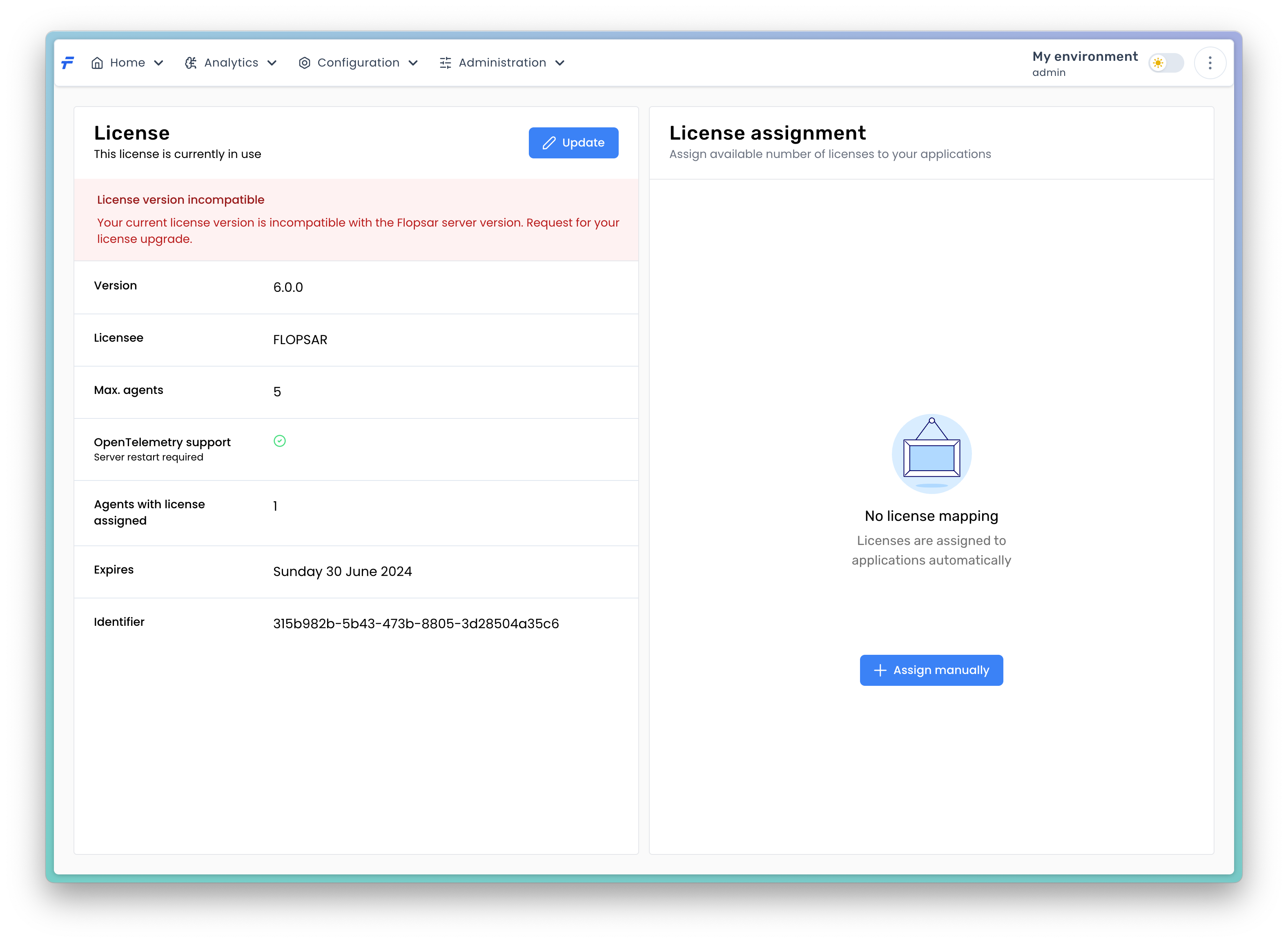
When you do not have a license, you can still run the Flopsar environment with some limitations. If you want to collect data from agents, you will need a valid license. This license must be uploaded to the server. You can do this from the License page.
License page
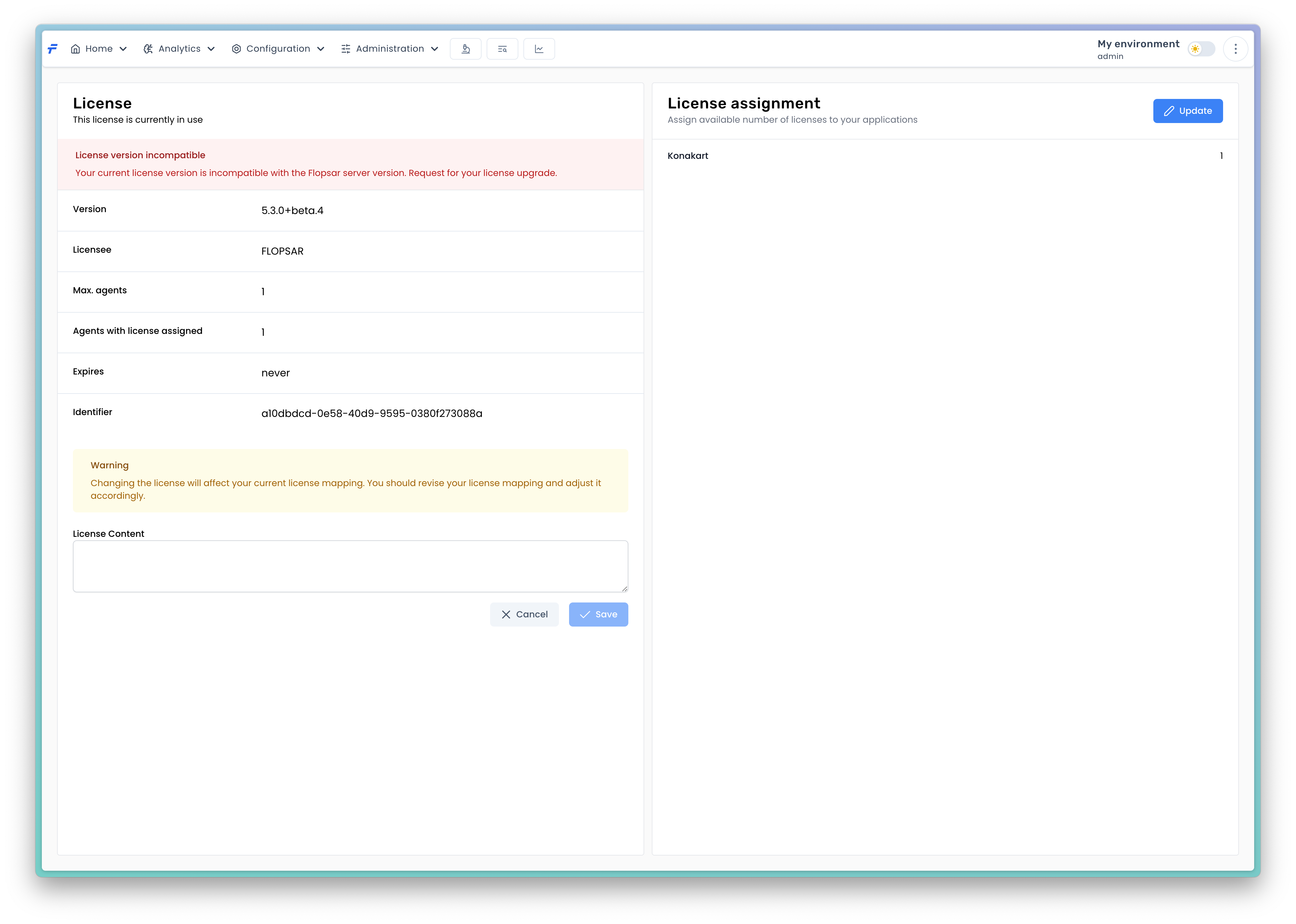
You need to press the `Update` button and upload the license by pasting its contents to the `License Content` field.
Registering a new license
The maximal number of agents, you can collect data from, is determined by the license you have. The license has also an expire date, unless you have a permanent one. When the license expires, all the connected agents get their license revoked. Only a single agent is left with its license. This implies the agents stop collecting nearly all data.
## License Allocation for Agents
This document explains the process of license allocation for agents in the system and provides guidelines on how to manage licenses when the number of connected agents exceeds the licensed limit.
### License Allocation Overview
Automatic License Assignment If the number of connected agents is equal to or less than the maximum allowed by your license, all agents will automatically receive the necessary license without any manual intervention. The system manages this process seamlessly, ensuring that each agent has the permissions and capabilities defined by the license terms.
### License Limit Exceeded
In scenarios where the number of connected agents exceeds the license capacity, not all agents will be able to receive a license. When this occurs, the system will automatically allocate licenses to a subset of the connected agents. The selection of which agents receive the license is determined by the system using predefined internal criteria.
### Manual License Assignment
To gain full control over which agents receive licenses, you can manually assign licenses to specific agents. Manual assignment is necessary in cases where you need to ensure that critical agents receive a license over less essential ones. This process involves explicitly designating which agents should be licensed, thereby overriding the system's default allocation mechanism.
{% hint style="warning" %}
You need to have Edit license mapping permission to be able to edit the license mapping.
{% endhint %}
## Best Practices for License Management
* **Prioritize Critical Agents**: Ensure that agents critical to your business operations are prioritized when manually assigning licenses.
* **Monitor License Utilization**: Regularly review your license usage and the number of connected agents to ensure compliance and optimal utilization of resources.
* **Plan for Scalability**: If your organization anticipates connecting more agents in the future, consider upgrading your license to accommodate additional agents without the need for manual intervention.